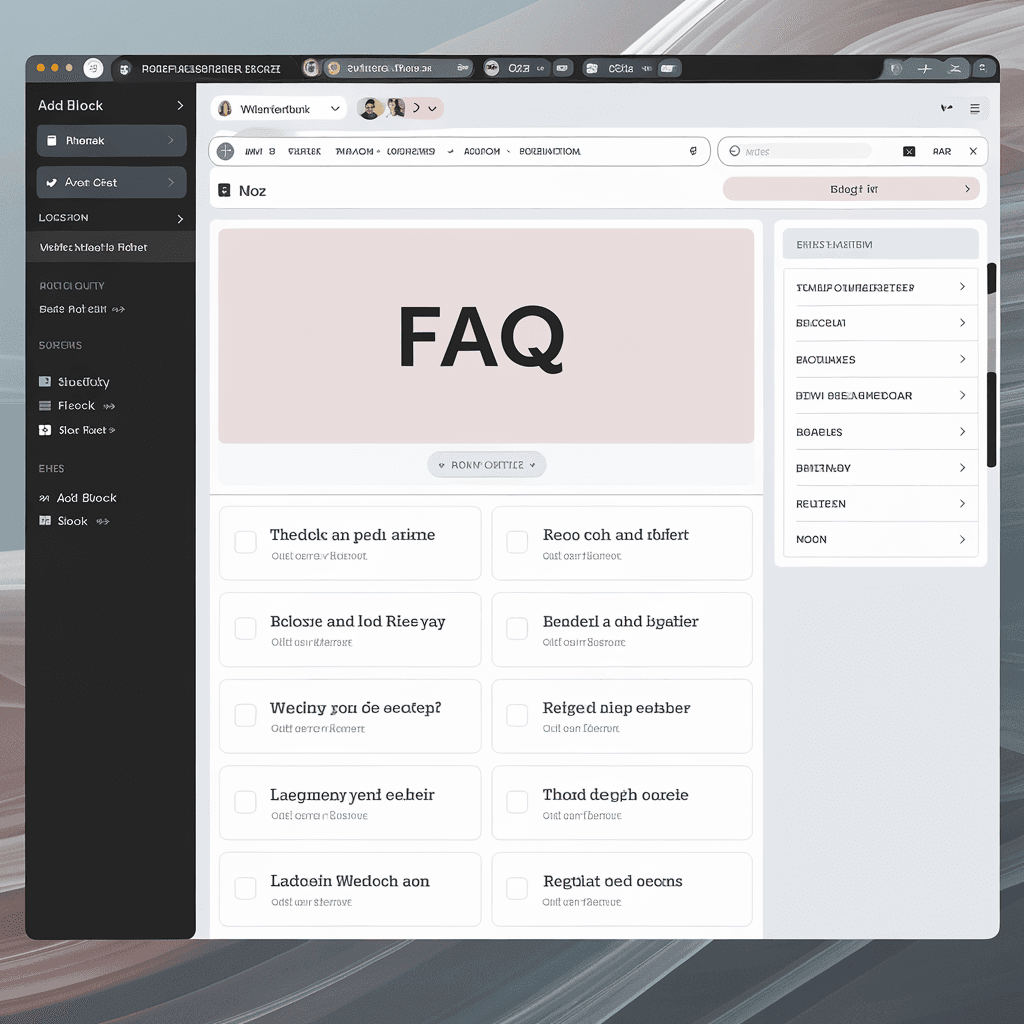

How to Add an FAQ Page to My WordPress Website: A Step-by-Step Guide
Creating an FAQ page on your WordPress website is a smart way to enhance user experience and address common questions. This dedicated page can save both you and your visitors time, enrich your site’s content, and potentially boost your SEO rankings. Follow this step-by-step guide to effortlessly add an FAQ page to your WordPress site.Why an FAQ Page is Important
Before diving into the how-to, it’s important to understand the benefits of an FAQ page:- Improved User Experience: It helps users find answers quickly without searching through multiple pages.
- SEO Benefits: FAQs can be optimized with specific keywords which may enhance your visibility in search results.
- Increased Site Engagement: By providing valuable information, visitors are more likely to stay on your site longer.
Step 1: Access Your WordPress Dashboard
To start creating your FAQ page, log into your WordPress dashboard. You’ll find all your important tools and settings here.Step 2: Create a New Page
Once inside the dashboard, follow these steps:- Navigate to Pages in the left sidebar.
- Click on Add New.
Step 3: Choose a Title
It’s recommended to keep the title simple and straightforward. Something like “Frequently Asked Questions” is effective.Step 4: Add Your Questions and Answers
Now it’s time to populate your FAQ page with relevant questions and answers. You could format it in different ways:Basic Text Format
You can simply type out your questions followed by their respective answers. For example: Q1: What payment methods do you accept? A1: We accept credit cards, PayPal, and bank transfers. Q2: How can I contact support? A2: You can reach out via our contact form or email us at support@yourwebsite.com.Using a Table
If you have many questions, organizing them into a table can be beneficial for clarity, like this:| Question | Answer |
|---|---|
| What is your return policy? | Our return policy allows returns within 30 days of purchase. |
| Do you ship internationally? | Yes, we ship to most countries worldwide. |
Step 5: Format Your Content
To make your FAQ page more visually appealing, customize your text using bolding for questions, bullet points, and varying font sizes. This not only makes it easier to read but also grabs the users’ attention.Step 6: Optimize for SEO
Don’t forget to enhance your FAQ page for SEO. Here are some tips:- Use targeted keywords naturally within your questions and answers.
- Add alt text to any images you include.
- Write a meta description summarizing the page’s content.
Step 7: Publish Your FAQ Page
After adding all the content and ensuring everything looks good, hit the Publish button. Your FAQ page is now live for your visitors to use!Step 8: Link to Your FAQ Page
To ensure your users can easily find the FAQ page, consider linking to it from key areas on your site, such as:- Navigation menu
- Footer links
- Related blog posts
Step 9: Update Regularly
Over time, your FAQs might change. Make sure to keep your page updated with new questions or updated answers. Regular updates will help maintain the relevance of the content, which is crucial for user satisfaction and SEO. By following these steps, you can successfully add an FAQ page to your WordPress website, providing valuable assistance to your visitors while optimizing your site for better search engine results. Embrace this opportunity to connect with your audience!Best Practices for Creating Effective FAQ Content
Creating an effective FAQ page is vital for engaging users and providing them with necessary information. A well-structured FAQ can enhance user experience, reduce customer support inquiries, and boost your site’s SEO. Here are some best practices to consider when crafting your FAQ content.Understand Your Audience
Before you start writing your FAQ content, it’s essential to know who your audience is. Think about the common questions they may have regarding your services or products. You can:- Gather feedback from customer service interactions.
- Review comments and messages on social media platforms.
- Use analytics tools to identify common search queries related to your niche.
Use Clear and Concise Questions
Your FAQ section should feature clear and straightforward questions that your audience is likely to ask. Avoid overly technical jargon or complicated wording. This ensures users can quickly scan through the questions and find what they need. Here are some tips for phrasing questions:- Start with “What,” “How,” “When,” “Why,” and “Where” to make it easier for users to identify the inquiry type.
- Keeps questions brief and to the point, ideally no more than 10 words.
Provide Detailed yet Simple Answers
Once you’ve listed the questions, the next step is to provide concise yet informative answers. A well-structured answer should include:- A direct response to the question.
- Possible follow-up information or related questions.
- A link to relevant articles or resources on your site for users who want to learn more.
Keep the FAQ Up-to-Date
Regularly update your FAQ page to reflect any changes in your services or products. Monitoring trends in customer inquiries or industry updates can help you identify the need for new questions. Outdated information may mislead users and create frustration. Consider scheduling quarterly reviews to keep your FAQ content relevant.Implement SEO Practices
Optimizing your FAQ for search engines is crucial. Use the following strategies to enhance SEO:- Incorporate common keywords related to your business within the questions and answers.
- Use schema markup to help search engines understand your FAQ content better, increasing the chances of appearing in rich snippets.
- Include links to relevant pages within your website to improve interconnectivity and reduce bounce rates.
Design for User Experience
The layout and design of your FAQ section can significantly impact user experience. Consider these design tips:- Utilize accordion-style dropdowns for each question to save space and create a clean look.
- Ensure the FAQ section is easily accessible from your main navigation or homepage.
- Employ clear headings and a search bar for users who may want to quickly find specific information.
Consider Visual Elements
Visual elements can elevate your FAQ page. Use images or videos where applicable to provide further explanation. Multimedia can clarify complex answers and engage users more effectively. If you find that certain questions are commonly asked, a short video response can be particularly helpful.Analyze and Adapt
Use analytical tools to measure the effectiveness of your FAQ page. Monitor metrics such as page views, time spent on the page, and user interactions. Make adjustments based on this data to continuously refine and improve your content. Analyzing performance will guide you in fine-tuning FAQs to better serve your audience. By following these best practices, you can create an effective FAQ page that not only addresses user concerns but also contributes positively to your website’s overall user experience and search engine visibility. Invest time in your FAQ content to reap long-term benefits for your website and users.Enhancing User Experience Through an FAQ Page
Creating an FAQ page on your WordPress website is one of the best ways to enhance user experience. This page serves as a centralized hub for your customers to find answers to their most pressing questions. By providing clear and concise information, you help reduce the time users spend searching for answers while also minimizing repetitive inquiries.Why an FAQ Page Matters
When users land on your website, they often have specific questions in mind. An FAQ page effectively addresses their concerns, showing that you understand their needs. This can lead to a more satisfactory experience, encouraging users to navigate further into your site, thus increasing the likelihood of conversions.How to Add an FAQ Page to Your WordPress Website
Adding an FAQ page to your WordPress site is a straightforward process. Follow these steps to get started:- Log into Your WordPress Dashboard: Begin by accessing your WordPress admin panel.
- Create a New Page: Navigate to Pages > Add New. This is where you will build your FAQ page.
- Set Up Page Content: Use a clear and engaging title, such as “Frequently Asked Questions.” In the content area, list out the questions you frequently receive, followed by their answers.
- Utilize Shortcodes or Plugins: To format your FAQ section, consider using plugins like Ultimate FAQ or WPForms, which allow for collapsible sections that make the page clean and easy to navigate.
- Optimize for SEO: Incorporate relevant keywords, such as “FAQ,” “frequently asked questions,” and specific queries related to your business. This will help improve the visibility of your FAQ page in search engines.
- Publish Your Page: Once you are satisfied with the content and layout, publish the page. Ensure it is accessible from your website’s main navigation menu.
Best Practices for Your FAQ Page
To make your FAQ page even more user-friendly, consider these best practices:- Use Clear Language: Write in simple, jargon-free language. This ensures that all users, regardless of their expertise, can understand your content.
- Organize Questions Logically: Group similar questions together. For example, you might have sections for shipping, returns, and product inquiries.
- Keep Questions Relevant: Focus on questions that your customers frequently ask. You can collect these through direct interactions or through analytics data.
- Regular Updates: Technology and consumer behavior change, and so should your FAQ page. Update this content regularly to reflect new questions and information.
- Integrate Contact Information: If users don’t find their answer, make it easy for them to get in touch. Include a contact form or email address at the bottom of the FAQ page.
Enhancing Visibility with SEO
Optimizing your FAQ page for search engines can make a significant difference in attracting organic traffic. Here are a few strategies:- Keyword Research: Identify keywords that someone might use to find answers related to your industry.
- Schema Markup: Utilize structured data to create a rich snippet in search results. This makes your FAQs appear more attractive to searchers.
- Internal Linking: Link to other relevant parts of your website within your FAQ answers to keep users engaged longer.
Monitoring Performance
Once your FAQ page is live, keep an eye on its performance. Use tools like Google Analytics to track user behavior. Pay attention to:| Metric | Description |
|---|---|
| Page Views | The number of times the FAQ page is accessed. |
| Average Time on Page | Indicates how long users are engaging with the content. |
| Bounce Rate | Shows the percentage of visitors who leave after viewing only the FAQ page. |
The Importance of an FAQ Page for SEO on WordPress
Every website owner knows that providing valuable content is crucial for user experience. However, incorporating an FAQ page into your WordPress site can significantly elevate your content strategy, enhancing both user engagement and search engine optimization (SEO). An FAQ page serves as a valuable resource that not only addresses common queries but also plays a vital role in your site’s overall visibility. One primary advantage of an FAQ page is that it creates opportunities for long-tail keyword usage. Long-tail keywords are typically longer, more specific search phrases that users are likely to enter into search engines. By strategically including these terms within your FAQ, you naturally incorporate relevant keywords without resorting to awkward phrasing or keyword stuffing. To effectively optimize your FAQ page, consider these strategies:- Identify Common Questions: Start by listing the questions your audience frequently asks. Monitor customer queries, emails, and comments on your posts to gather insights.
- Research Keywords: Utilize tools like Google Keyword Planner or Ubersuggest to find relevant keywords. Focus on questions potential users are asking.
- Provide Clear Answers: Ensure your responses are straightforward and informative. Use short paragraphs for easy readability.
| Question | Answer |
|---|---|
| How do I reset my password? | Click on ‘Forgot Password’ on the login page and follow the instructions. |
| Can I change my email address? | Yes, go to your account settings and update your email address. |
| What is your return policy? | You can return items within 30 days of purchase for a full refund. |
Common Mistakes to Avoid When Setting Up an FAQ Page
Creating a well-structured FAQ page is crucial for enhancing user experience and addressing customer inquiries effectively. However, many website owners make common mistakes when setting up their FAQ pages, which can lead to confusion and frustration for visitors. Here are some pitfalls to avoid when designing your FAQ section to ensure it’s both user-friendly and informative.Ignoring Your Audience
One of the most significant mistakes is not considering who your audience is. You should tailor your FAQs based on the specific questions and concerns of your target audience. Conduct surveys or check customer support queries to understand what visitors are asking. A responsive FAQ page resonates better with users and provides helpful answers to their most pressing questions.Overloading with Information
Another frequent error is cramming too much information into the FAQ page. While it’s essential to provide thorough answers, too much text can overwhelm readers. Aim to be concise and to the point. Here’s how you can keep your FAQs manageable:- Provide short, clear answers.
- Break up large chunks of text using bullet points.
- Focus on the most relevant questions.
Neglecting Search Functionality
If your FAQ page contains numerous entries, neglecting a search feature can make it challenging for users to find what they need. Consider adding a search bar that allows visitors to type in keywords related to their questions. This functionality not only enhances user experience but also reduces the chances of users leaving your site in frustration.Using Jargon and Complicated Language
While it might be tempting to use industry-specific terminology, doing so can alienate your audience. Ensure your language is simple and accessible to everyone. Avoid jargon and explain any necessary terms clearly. By using straightforward language, you make your FAQ page comprehensible to a broader audience.Not Updating Regularly
Another common mistake is failing to keep the FAQ page updated. As your products, services, or policies change, it’s important to review and revise your FAQs regularly. Infrequent updates can lead to outdated information and user frustration. Create a schedule to review your FAQs at least once every few months, ensuring that all information is current and relevant.Missing Internal Links
Internal linking is a great way to enhance your website’s SEO and guide users to related content. By failing to link to relevant articles, blog posts, or product pages within your FAQ responses, you may miss the opportunity to keep visitors engaged on your site longer. For instance, if a question relates to a specific product, include a link to that product page for more detailed information.Neglecting Mobile Optimization
With the rise of mobile browsing, not optimizing your FAQ page for smartphones and tablets can be detrimental. Ensure your FAQ section displays correctly on mobile devices. This includes having responsive design elements that adjust to various screen sizes, making it easier for users to read and navigate.Failing to Monitor User Feedback
Ignoring user feedback can hinder the effectiveness of your FAQ page. Pay attention to what users say about the clarity and usefulness of the questions and answers provided. Implement a feedback mechanism, such as a thumbs-up or thumbs-down option, to gauge which FAQs are helpful and which may need revising.Not Utilizing Visuals
Text-heavy FAQs can be tiring to read. Consider using visuals like infographics, images, or videos, where applicable, to help convey your message more clearly. This approach provides a visual representation that can simplify complex topics and engage users better.Unclear Navigation Structure
Your FAQ page should be easy to navigate. A confusing layout can frustrate users and lead them to abandon their search for answers. Consider organizing questions into categories or sections that make sense. A logical structure not only aids user navigation but also enhances your page’s overall effectiveness.Examples of Effective FAQ Pages
| Website | Key Features |
|---|---|
| Shopify | Well-organized sections, clear language, and lots of visual aids. |
| Amazon | Extensive search functionality and user-friendly layout. |
| Slack | Regularly updated content with excellent categorization. |
Conclusion
Creating an FAQ page on your WordPress website is more than just adding a few questions and answers; it’s a powerful tool for enhancing both user experience and SEO. By following the step-by-step guide, you’ve equipped yourself to build a comprehensive FAQ section that addresses your audience’s most pressing inquiries. This not only saves time for your visitors but also adds value to your website, making it more user-friendly. When crafting your FAQ content, remember to adhere to best practices. Clear, concise, and relevant answers will resonate better with your audience, ensuring they find the information they need quickly. This enhances their overall experience, encouraging them to spend more time on your site and return for more. An effective FAQ page can significantly improve your site’s SEO performance. By targeting keywords and phrases commonly searched by your audience, you increase the likelihood of your content appearing in search results, driving more organic traffic to your website. Just keep in mind the common pitfalls related to FAQ setup, such as overlooking updates or using vague language, as these can undermine the effectiveness of your FAQ page. An FAQ page is a strategic move that can lead to higher engagement rates, improved customer satisfaction, and enhanced visibility in search engines. By focusing on creating a detailed, user-centered FAQ section, you position your WordPress site for long-term success and solidify its role as a go-to resource in your niche. Take the time to implement these insights, and you will see positive results for both your visitors and your website’s performance.If you are still setting up your website, our beginner’s blogging guide covers initial WordPress and hosting decisions. Once your FAQ is published, read our on-page SEO guide to improve headings, navigation and internal links. FAQ content helps visitors, but special Google search displays are never guaranteed.
Disclosure: This post contains affiliate links. If you make a purchase through these links, I may earn a small commission at no extra cost to you.