
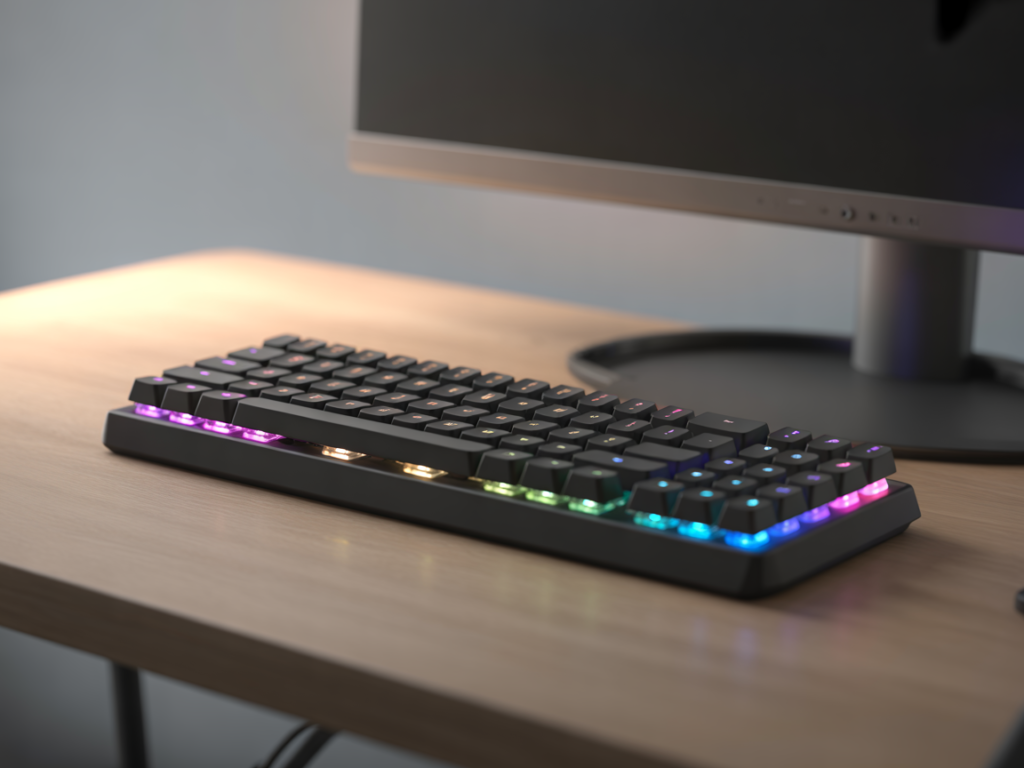
There is a specific kind of anxiety that comes with owning a loud mechanical keyboard. It is 1:00 AM, you are in the middle of a heated competitive match, and every keystroke sounds like a gunshot in your quiet apartment. You can practically feel your roommate, spouse, or parents staring at the wall, wishing you would log off. Beyond the noise, there is the issue of space. If you are gaming on a smaller desk or a shared surface, a full-sized keyboard feels like a cage; it eats up all your real estate, leaving you with barely three inches of room to flick your mouse.
The SteelSeries Apex 3 TKL was designed specifically to solve these two distinct problems. It strips away the unnecessary bulk of the number pad and replaces the loud “clack” of mechanical switches with a silent, responsive membrane system. But does a membrane keyboard still hold up in 2024, or are you sacrificing too much performance for silence? If you are tired of the noise and the clutter, you might want to check current availability before reading further, because this might be the exact peripheral your setup has been missing.
Under the Hood: How the Apex 3 TKL Works
The “Secret Sauce” of this keyboard isn’t a revolutionary new chip; it is a focus on “quality of life” features that most budget keyboards ignore. SteelSeries has pivoted away from the raw mechanical obsession to focus on durability and acoustic comfort. Here is the breakdown of the engineering choices that make this board unique.
The “Whisper Quiet” Gaming Switches
The most controversial “ingredient” here is the switch type. The Apex 3 uses rubber dome switches rather than mechanical springs. However, these aren’t the mushy keys you find on a $10 office keyboard. SteelSeries uses a low-friction material that is rated for over 20 million keypresses. The mechanism creates a soft, cushioned landing for every keystroke. Biologically speaking, this reduces finger fatigue during long sessions because you aren’t hitting a hard “bottom out” point constantly. If you want to dive deeper into the actuation force data, you can verify the technical specifications here.


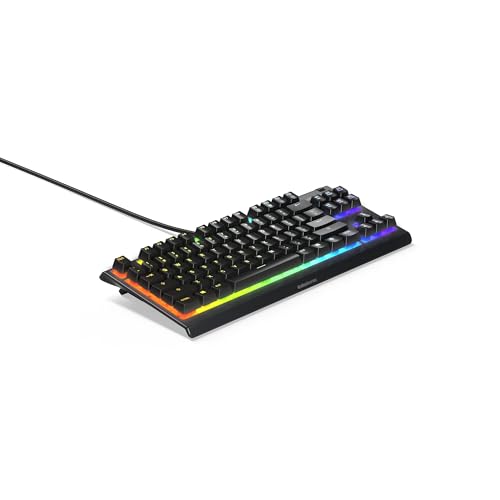

The TKL Factor (Tenkeyless)
TKL stands for “Tenkeyless,” which simply means the number pad on the right side has been chopped off. By removing those 10+ keys, the keyboard becomes significantly more compact. This is critical for the “Space-Starved Hybrid Gamer.” That extra 4 to 5 inches of desk space allows you to position your mouse closer to your center of mass, which is more ergonomic, or it simply gives you the room to perform large sweeping mouse movements in FPS titles without slamming your hand into the side of your keyboard.
IP32 Water & Dust Resistance
Accidents are inevitable. Whether it is a knocked-over energy drink or a splash of water, liquids are the number one killer of gaming hardware. The Apex 3 TKL features an IP32 rating, which means it is engineered with internal drainage channels. If you spill liquid, it is routed away from the sensitive electronic circuitry and flows out through dedicated ports on the bottom of the chassis. It is a safety net that most mechanical keyboards in this price range simply do not offer.
Key Takeaway: The Apex 3 TKL prioritizes silence and survival. It is designed to withstand spills and late-night smashing without waking up the household, making it the ultimate “stealth” keyboard.
Who Should NOT Buy This Keyboard?
To be completely transparent, this product is not for everyone. If you fall into one of the following categories, you will likely be disappointed, and you should save your money for a different model:
- The “Clicky” Addict: If you associate gaming performance with the loud, tactile “snap” of Cherry MX Blue switches, the Apex 3 will feel “mushy” to you. It does not provide that sharp physical feedback.
- The Data Entry Pro: If you use your home computer for accounting or heavy Excel work, the lack of a Numpad will kill your productivity.
- The RGB Purist: While the lighting is beautiful, it is 8-Zone lighting, not per-key lighting. You cannot program specific keys (like just WASD) to light up while the rest remain dark.
Real Talk: The Pros and Cons
After analyzing user sentiment from forums and conducting a feature breakdown, here is the unbiased reality of the Apex 3 TKL.
The Pros:
The build quality is surprisingly premium for a plastic chassis; it feels heavy and planted on the desk, not hollow. The multimedia controls (a clickable volume roller and media key) are a massive convenience usually reserved for high-end boards. Furthermore, the cable routing channels underneath allow you to direct the wire left, right, or center, helping you maintain that clean, minimalist aesthetic.
The Cons:
The biggest drawback is purely subjective: the typing feel. It is a membrane keyboard. While it is a good membrane keyboard, it lacks the precision actuation point of a mechanical switch. Additionally, the keycaps are ABS plastic, which can develop a “shine” from finger oils faster than more expensive PBT keycaps.
Battle of the Budget Boards: Apex 3 vs. Cheap Mechanicals
You might be asking, “Why pay roughly $50 for a membrane keyboard when I can get a mechanical one for $30?”
It comes down to Reliability vs. Gimmicks. Cheap mechanical keyboards (often found with random brand names) use low-quality switches that often develop “chatter” (double typing) or fail within months. They rarely have software support or water resistance. The Apex 3 TKL gives you the backing of the SteelSeries Engine software—industry-leading tech that lets you customize lighting and macros easily—and hardware that is built to survive spills. You are paying for consistency and silence, not just a switch type.
Frequently Asked Questions
Is the Apex 3 TKL actually mechanical?
No. It uses SteelSeries’ proprietary “Whisper Quiet” membrane switches. They are tuned for gaming responsiveness but do not use mechanical springs. This is what makes them silent and water-resistant.
Does this keyboard work with PS5 and Xbox Series X?
Yes. The Apex 3 TKL is plug-and-play compatible via USB for any console games that support mouse and keyboard input. It’s a popular choice for console gamers looking to switch to a desk setup.
What happens if I spill water on it?
Don’t panic. The IP32 rating means it is designed to handle spills. Unplug the keyboard immediately, let the liquid drain through the ports at the bottom, and allow it to dry completely before plugging it back in.
Can I customize the RGB lighting?
Yes, but with limitations. You have 8 vertical zones of lighting to customize using the SteelSeries Engine software. You can create color shifts and wave effects, but you cannot change the color of individual keys.
How loud is it compared to a mechanical keyboard?
Significantly quieter. If a mechanical keyboard is a 9/10 on the volume scale, the Apex 3 TKL is a 3/10. It produces a soft thud rather than a sharp click, making it ideal for shared dorms or bedrooms.
Final Verdict
The SteelSeries Apex 3 TKL knows exactly what it is. It isn’t trying to trick you into thinking it’s a high-end mechanical board. Instead, it positions itself as the reliable, durable, and silent alternative for gamers who are tired of the noise and the clutter.
If you value a clean desk setup, need to respect the quiet hours of your home, and want a keyboard that won’t die the first time you knock over a glass of water, this is the smartest investment you can make in the sub-$50 category. It is a “grown-up” purchase for the practical gamer.
Check for seasonal discounts here to see if you can snag this silent powerhouse for your setup today.
Author

Disclosure: This post contains affiliate links. If you make a purchase through these links, I may earn a small commission at no extra cost to you.